
TradingView is where most traders start charting, but its free Basic plan stops at 2 indicators per chart, 1 chart per tab and 3 price alerts, with ads, and its paid plans cost up to $239.95 a month. A TradingView alternative can be cheaper, come free with a broker account or do one job better, such as fundamentals, futures or automated trading.
In short, Interactive Brokers lets you chart and trade in the same account, including on TradingView-powered Advanced Charts inside its Trader Workstation, and Koyfin suits investors who want charts next to company financials. ProRealTime is the strongest free option for real-time charts on US and European stocks, MetaTrader 5 is the standard platform for forex and CFD traders and NinjaTrader is built for futures. Every price and limit below comes from the provider's own website.
Best TradingView alternatives
These are our picks for 2026 and what each one does best. The list is a selection by use case, not a strict ranking:
- Interactive Brokers: best for charting and trading in one account, across more than 175 markets.
- Koyfin: best for charts next to company fundamentals.
- ProRealTime: best free real-time charts for US and European stocks.
- TrendSpider: best for automated technical analysis and backtesting.
- MetaTrader 5: best for forex and CFD traders who automate their strategies.
- NinjaTrader: best for futures traders.
- thinkorswim: best for US options traders with a Schwab account.
- Webull: best free charts inside a trading app.
- StockCharts: best for classic technical analysis.
Comparison of the best TradingView alternatives
| Tool | Paid from | Free plan | Trade from charts | Best for |
| Interactive Brokers | No platform fee (IBKR account needed) | Yes, with an IBKR account | Yes, IBKR is the broker | Charting and trading in one account |
| Koyfin | $39 a month (Plus) | Yes (2 screens, daily charts) | No | Charts next to fundamentals |
| ProRealTime | $32 a month excl. VAT (Complete) | Yes (real-time US and European stocks) | Yes, via a partner broker | Free real-time charts |
| TrendSpider | $82 a month (Standard) | No (paid 7-day trial) | Yes, via SignalStack | Automated analysis and backtests |
| MetaTrader 5 | Free platform | Yes | Yes, via your broker | Forex and CFD trading with robots |
| NinjaTrader | $99 a month or $1,499 once | Yes (charts and simulation) | Yes, NinjaTrader is the broker | Futures trading |
| thinkorswim | No platform fee (Schwab account needed) | Yes, with a Schwab account | Yes, Schwab is the broker | US options traders |
| Webull | No platform fee (Webull account needed) | Yes, with a Webull account | Yes, Webull is the broker | Charts in a trading app |
| StockCharts | $19.95 a month (Basic) | Yes (3 indicators per chart) | No | Classic technical analysis |
Source: each provider's own website, 26 November 2026. Regular prices in US dollars, before sales tax or VAT (ProRealTime prices exclude VAT), and without the Black Friday discounts several providers were running. NinjaTrader prices are for US accounts.
TradingView alternatives reviewed
Interactive Brokers: best for charting and trading in one account
Interactive Brokers (IBKR) is a broker, so you analyse the chart and place the trade in the same account. Its desktop platform, Trader Workstation (TWS), includes TradingView Advanced Charts, which you open by right-clicking a symbol in your watchlist and selecting Charts and then Advanced Charts. IBKR says you can add up to 20 indicators to one chart, build custom layouts with as many charts as you want and place limit orders from the chart, and that these features are not tied to a TradingView membership.
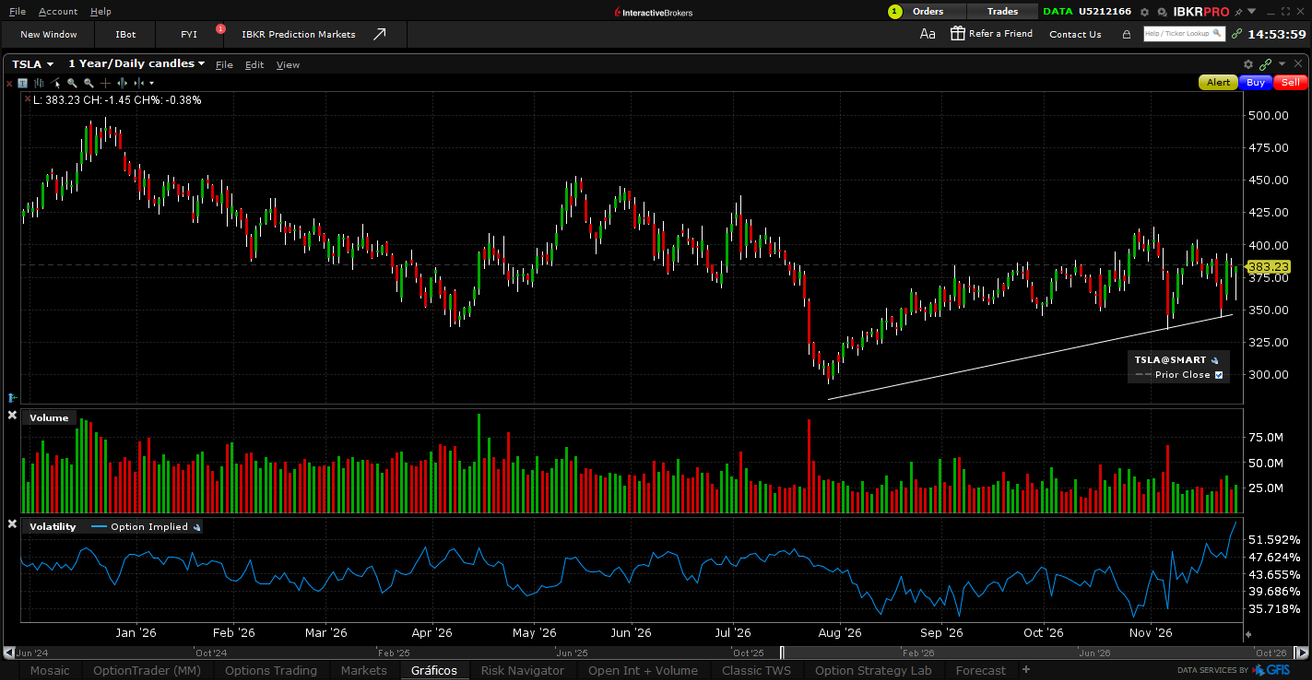
A daily chart with volume and implied volatility in Trader Workstation. Screenshot from our own Interactive Brokers account, 26 November 2026.
IBKR Desktop, its newer desktop platform, has its own charts with candle, line, Heikin Ashi and Point & Figure styles and a multi-chart mode. If you would rather keep using TradingView, you can link an IBKR account to it and, according to IBKR, trade stocks, futures and bonds on over 175 global markets from TradingView's charts.
- Best for: investors and traders who want charts and execution in one account and trade on more than one country's markets.
- Platforms: TWS and IBKR Desktop on desktop, Client Portal in the browser and IBKR Mobile, with no platform fees.
- Market data: IBKR says its clients get free real-time streaming data on all US-listed stocks and ETFs from Cboe One and IEX. Other exchanges need a subscription, for example GBP 1 a month for London Stock Exchange Level 1 data for non-professional users. A paper trading account with $1,000,000 in virtual money is also available.
- Drawbacks: according to IBKR, Advanced Charts in TWS do not support chart alerts, custom timeframes or replay yet, and TWS takes longer to learn than a web charting tool.
Want to know more about the broker? Check our Interactive Brokers review.
Disclaimer: investing involves risk of loss.
Koyfin: best for charts next to fundamentals
Koyfin is closer to a financial terminal than to a trading chart. Its graphs plot over 100 indicators that mix technicals with fundamentals, valuation, consensus estimates and analyst ratings, and its help centre lists 300 fundamental series you can add to a chart. You can compare several securities on one graph, save chart templates, export charts as images and build performance or scatter charts across many stocks. Its screener covers over 100,000 global equities.
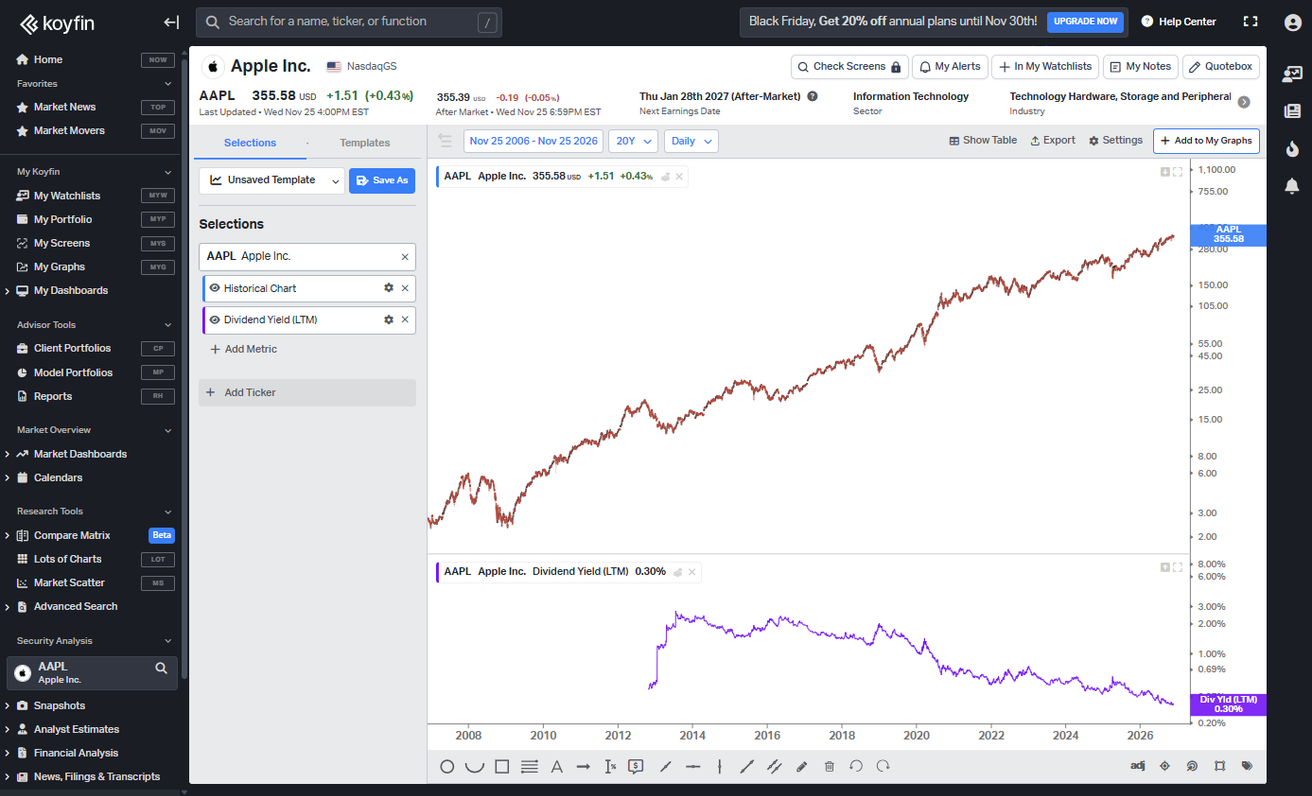
Price and dividend yield on the same graph. Screenshot from our own Koyfin account, 26 November 2026.
- Best for: long-term investors who want price charts next to company financials, for US, European and other stocks.
- Free plan: 2 watchlists, 2 screens, 2 custom dashboards, 2 years of financials and 1 year of estimates.
- Paid plans: Plus costs $39 a month and Premium $79 a month. Koyfin says annual plans save up to 30%.
- Drawbacks: Koyfin does not support minute or hourly candles (the shortest period is one day), so it does not replace TradingView for day trading, and you cannot trade from its charts.
ProRealTime: best free real-time charts for US and European stocks
ProRealTime is a charting platform whose free Web + Mobile plan includes real-time data on US and European stocks (both through Cboe), forex, crypto, major indices and metals, without ads. The free plan allows 25 indicators per chart, 10 charts at the same time, 20 personal lists and 20 real-time alerts, and it includes automatic trend lines, paper trading and trading from the chart.
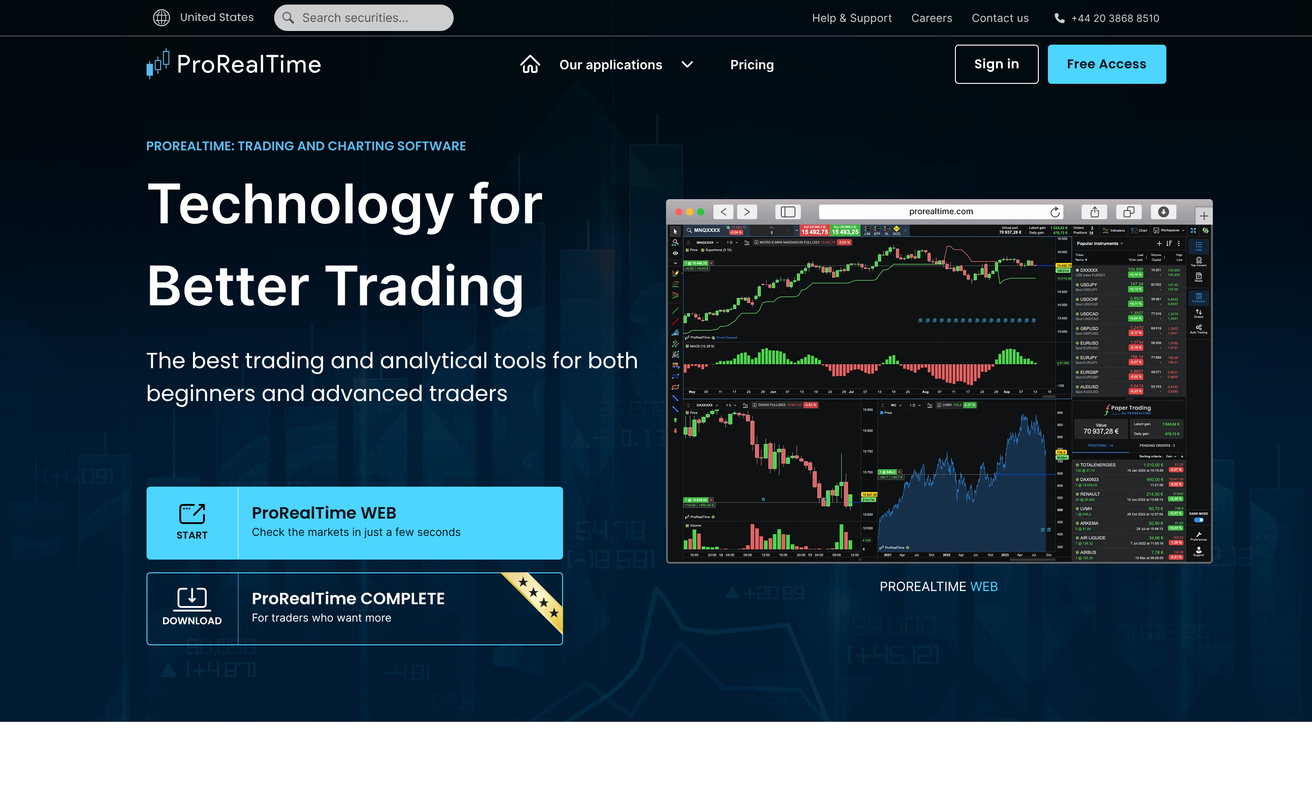
ProRealTime WEB, the browser version of the platform. Screenshot from ProRealTime's website, 26 November 2026.
The paid plans add the desktop platform. ProBuilder, ProRealTime's programming language, is used to code indicators and trading systems, and ProOrder runs automated systems on a virtual portfolio with the Complete and Premium plans. For live trading, ProRealTime connects to partner brokers, including Interactive Brokers and Saxo.
- Best for: traders and investors, in Europe in particular, who want free real-time charts on European and US stocks.
- Free plan: Web + Mobile, with 25 indicators per chart, 10 simultaneous charts, 20 real-time alerts and 3,000 units of history.
- Paid plans: Complete costs $32 a month and Premium $91 a month, excluding VAT, on the pricing page we saw. Real-time data for more than 30 other markets, such as CME or Eurex futures, starts at €2 a month. ProRealTime says Complete and Premium can also be free with live trading, without stating the conditions on that page.
- Drawbacks: the free plan works only in the browser and on mobile, automated trading on a virtual portfolio needs a paid plan, and you trade through a partner broker rather than ProRealTime itself.
TrendSpider: best for automated technical analysis
TrendSpider automates the parts of charting that take time by hand. Every plan includes automated trendlines and Fibonacci levels, chart pattern recognition, over 300 indicators, multi-timeframe analysis, backtesting and trading bots. Custom indicators are written in JavaScript or built with visual scripting and an AI coding assistant.
Its markets are US stocks and ETFs, CME, NYMEX, COMEX and CBOT futures, US options, global forex and crypto. Orders go to more than 30 brokers through a free SignalStack account, and there are apps for iOS and Android.
- Best for: active traders who want scans, backtests and alerts that run without watching the screen.
- Free plan: none. TrendSpider sells 7-day trials, from $19 for Standard to $49 for Advanced.
- Paid plans: the regular prices on the pricing page go from $82 a month for Standard to $321 a month for Advanced. For non-professional users, futures data costs $7.50 a month and options data $9.50 a month.
- Drawbacks: no free plan, no stock markets outside the US in its market list, and trial fees are non-refundable. Plans bought in the Black Friday sale are final sale.
MetaTrader 5: best for forex and CFD traders who automate
MetaTrader 5 (MT5) is a free platform from MetaQuotes that brokers offer to their clients. It has 21 timeframes, 38 built-in indicators, 44 analytical objects and up to 100 open charts. MQL5, its programming language, and the MetaEditor let you write your own indicators and trading robots (Expert Advisors), which you can test in the Strategy Tester before running them live.
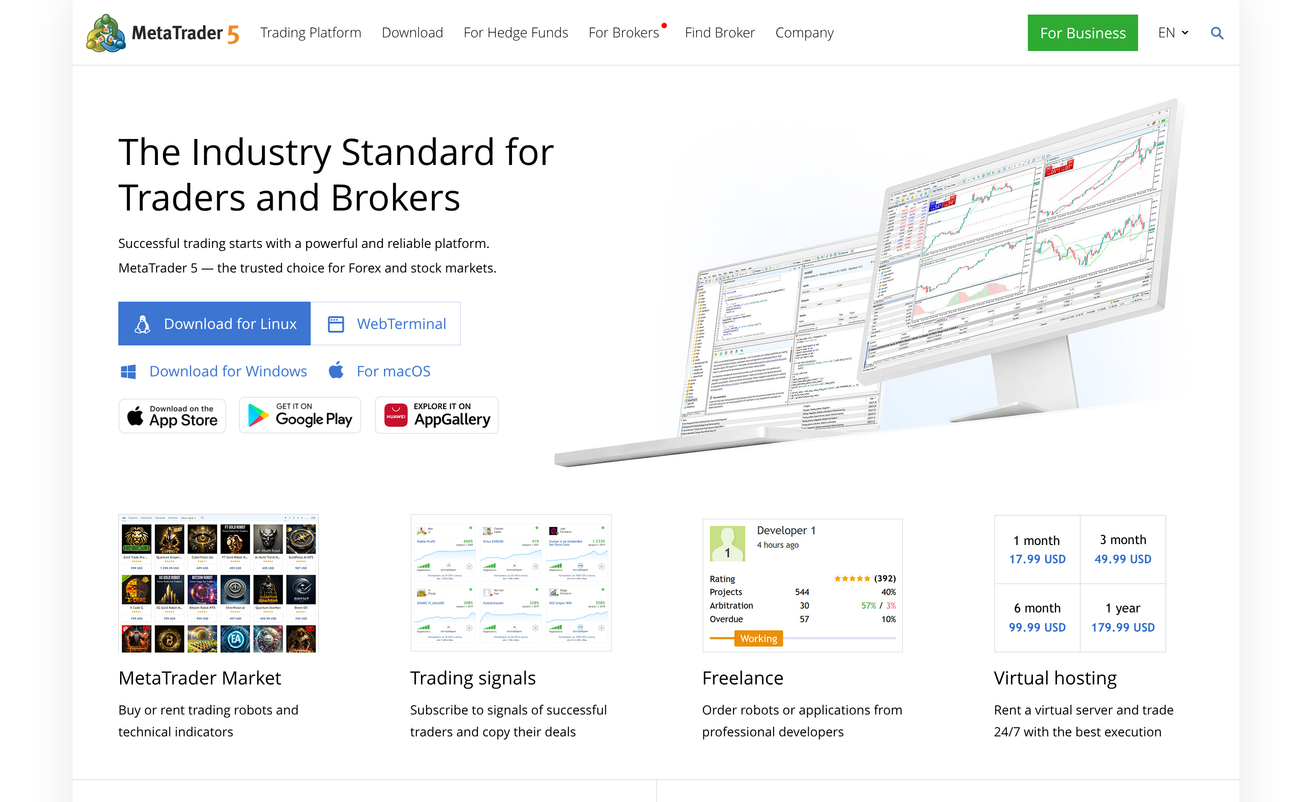
MetaTrader 5 is available on desktop, in the browser and on mobile. Screenshot from MetaTrader 5's website, 26 November 2026.
MT5 runs on Windows and macOS, on Linux through an installation guide, in the browser and on iOS and Android. MetaQuotes is a software company and does not provide brokerage services, so the instruments you can trade depend on the broker you connect.
- Best for: forex and CFD traders who want to automate their strategies.
- Free plan: the platform is free, with a demo account.
- Paid plans: none from MetaQuotes. Some robots and indicators in the MQL5 Market are paid.
- Drawbacks: the interface looks older than TradingView's, and prices, data and instruments depend on your broker. CFDs and forex are leveraged products and high risk.
NinjaTrader: best for futures traders
NinjaTrader is a futures broker with its own platform. Charting and simulated trading are free with no time limit and no funding required, on desktop, web and mobile. NinjaScript, its C#-based framework, is used to build custom indicators and automated strategies, and thousands of third-party tools are available.
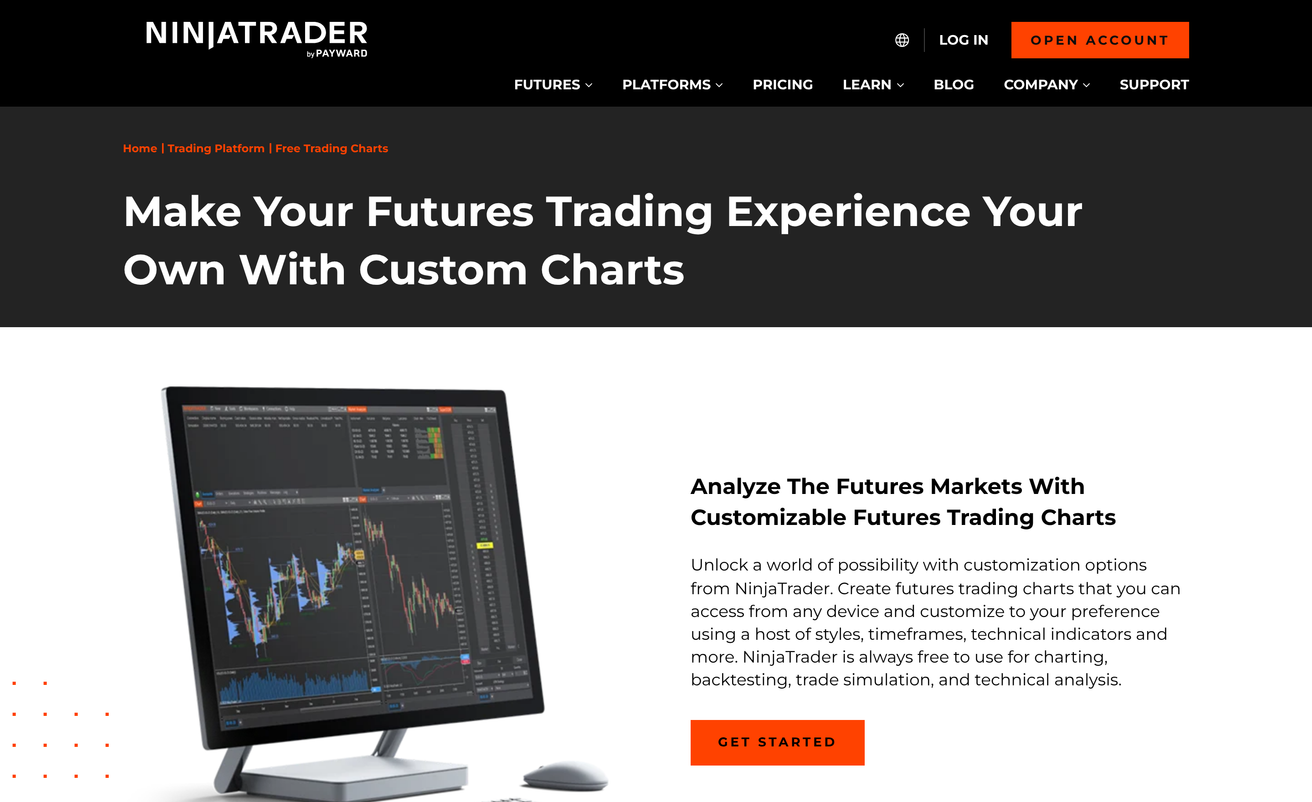
NinjaTrader's free charting for futures. Screenshot from NinjaTrader's website, 26 November 2026.
In January 2026 NinjaTrader announced its launch in Europe, starting with the Netherlands and Germany, through Payward Europe Digital Solutions (CY) Limited, which is regulated by the Cyprus Securities and Exchange Commission (CySEC). For EEA accounts, NinjaTrader lists no account minimum and says funded accounts include TradingView access, Order Flow+ tools and free Level I CME Group market data.
- Best for: futures day traders in the US and in the EEA countries NinjaTrader accepts.
- Free plan: charts and simulation. Real-time data, Market Replay and Order Flow+ need a funded live account.
- Paid plans: in the US, the Monthly plan costs $99 a month and Lifetime $1,499 once. They cut the commission per micro contract from $0.39 on the Free plan to $0.29 and $0.09 per side, before exchange, clearing and NFA fees.
- Drawbacks: futures only, so there are no stocks to chart and trade, and futures are leveraged products.
thinkorswim: best for US options traders
thinkorswim is Charles Schwab's trading platform, in desktop, web and mobile versions. Schwab says you can choose from hundreds of technical indicators, studies and drawing tools, and thinkScript, its built-in programming language, lets you create your own studies, watchlist columns, alerts, scans and conditional orders. paperMoney, the simulator, uses live market data.
Stocks, ETFs, options, futures and forex all trade from the same platform, with $0 commission on online trades of listed equities and $0.65 per options contract.
- Best for: US residents who trade options and want advanced charts at no extra cost.
- Free plan: the platform suite is free for Schwab clients, and a 30-day Guest Pass lets you try it without an account.
- Paid plans: none. Schwab has no minimum deposit to open an account, but day trading needs a margin account with at least $2,000.
- Drawbacks: Schwab's site is designed for US residents. Non-US residents can open an international account only if they live in a qualifying country, and in Singapore only accredited investors qualify.
If you live in Europe or the UK, see our guide to thinkorswim alternatives in Europe and the UK.
Webull: best free charts inside a trading app
Webull gives its clients charts with 60+ technical indicators, drawing tools, 8 chart styles from candlesticks to Heikin Ashi, data down to one tick, chart grids and a replay of past price moves at the speed you choose. The charts are in the mobile app, the desktop app (Mac, Windows and Linux) and WebTrade in the browser, and paper trading with virtual cash is free.
Webull also connects to TradingView, so you can place trades from TradingView's charts, and in the US Webull says orders placed on TradingView are commission free. Webull operates in the US, the UK, Europe, Canada, Australia, Singapore, Hong Kong, Japan and other markets, and UK investors open their account with Webull UK.
- Best for: investors who want free charts and trading in one app.
- Free plan: charts and paper trading come with a free Webull account, and in the US there is no minimum deposit.
- Cost: in the US, $0 commission on stock, ETF and options trades for eligible accounts, with $0.50 per contract on certain index options and $0.10 per contract on oversized option orders.
- Drawbacks: the charts are tied to a Webull account, and products and features differ from country to country.
To see which countries can open an account, check our guide Where is Webull available?
StockCharts: best for classic technical analysis
StockCharts is a charting website built around classic technical analysis, with charts, scans and alerts in the browser. It covers US stocks, ETFs and mutual funds, Canadian, UK and Indian stocks (TSX and Venture, LSE and NSE), plus indexes, commodities, currencies, bonds and crypto.
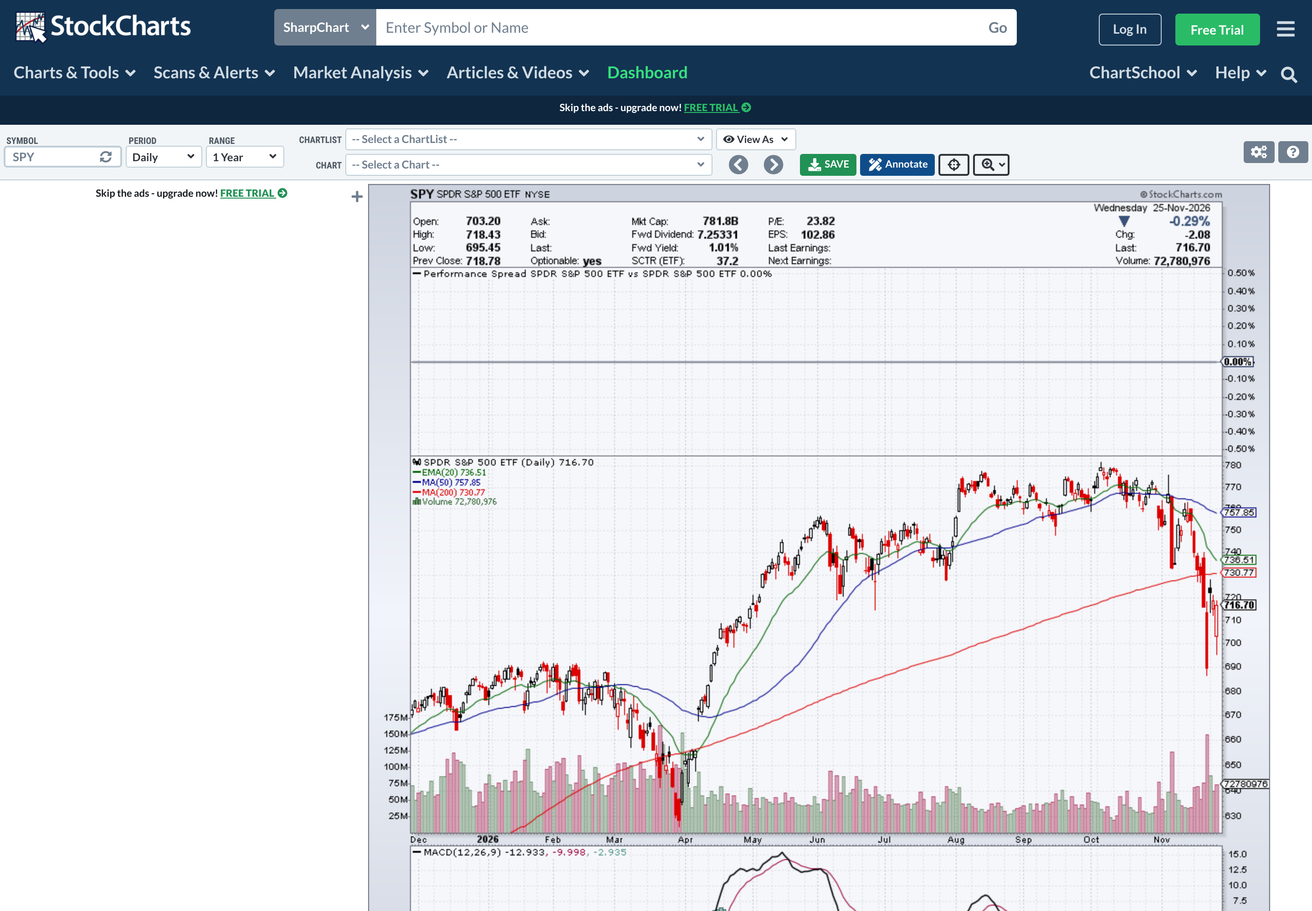
A free SharpChart of SPY with moving averages, volume and MACD. Screenshot from StockCharts' website, 26 November 2026.
The free version allows 3 indicators per chart, with real-time US data from BATS and delayed data for other markets. Paid plans allow 25 indicators per chart and add ChartLists, price alerts, advanced alerts and saved multi-chart layouts.
- Best for: swing traders and investors who want charts, scans and alerts without a broker account.
- Free plan: 3 indicators per chart.
- Paid plans: Basic costs $19.95 a month, Extra $29.95 and PRO $49.95. Annual plans are prepaid for 12 months with the 13th month free, and the first month is free from the Extra level up. Real-time add-ons for the US, Canada and the UK cost $9.95 a month each.
- Drawbacks: Basic includes only 2 price alerts, subscriptions are non-refundable, there is no dedicated app (the site works in mobile browsers) and you cannot trade from the chart.
Best free TradingView alternatives
Eight of the nine picks can be used without paying a subscription. What changes is where each free option stops:
- ProRealTime: real-time US and European stocks, 25 indicators per chart and no ads, in the browser and on mobile.
- Interactive Brokers: TradingView Advanced Charts in TWS and free real-time data on US-listed stocks and ETFs, with an IBKR account.
- Koyfin: daily charts with fundamentals, 2 watchlists and 2 screens.
- MetaTrader 5: the full platform, with a demo account.
- NinjaTrader: charts and simulation with no time limit, with real-time data on funded accounts.
- Webull: charts and paper trading with a free Webull account.
- thinkorswim: free for Schwab clients, with a 30-day Guest Pass to try it.
- StockCharts: 3 indicators per chart, with real-time US data.
TrendSpider is the only pick without a free plan. Outside our list, GoCharting has a Free Forever plan with real-time data on India's NSE and MCX, 2 charts per tab and 5 alerts.
Best TradingView alternatives for day trading
For day trading, real-time data, intraday timeframes and the time it takes to go from the chart to an order matter more than the number of indicators. Koyfin, which charts daily data and longer, does not fit here:
- Interactive Brokers: charts, real-time US data and execution in one account, with limit orders placed from the Advanced Charts.
- NinjaTrader: built for futures day trading, with Order Flow+ and Market Replay on funded accounts.
- thinkorswim: for US residents trading options and futures, with thinkScript alerts and conditional orders.
- TrendSpider: 1-minute charts on every plan, 1-minute scans on the Enhanced and Advanced plans and bots that send orders to connected brokers.
- Webull: tick-level charts and trading in the same app.
To compare commissions and platforms for active trading, see our lists of the best day trading platforms in the US and the best day trading platforms in Europe.
Best TradingView alternatives outside the US
Most rankings of TradingView alternatives are written for US traders, and several tools on them are built for US residents or US markets. If you live in Europe, the UK or Asia, check availability and market coverage first:
- Interactive Brokers: one account for more than 175 markets, with real-time London Stock Exchange data from GBP 1 a month for non-professional users.
- ProRealTime: free real-time data on European and US stocks, and more than 30 other markets from €2 a month.
- Koyfin: over 100,000 global equities.
- StockCharts: UK, Canadian and Indian stocks next to US markets, with real-time UK data for $9.95 a month.
- Webull: operates in the UK, Europe, Australia, Singapore, Hong Kong, Japan and other markets.
- NinjaTrader: futures accounts for EEA residents, starting with the Netherlands and Germany.
- MetaTrader 5: available through brokers, so what you can trade depends on the brokers that accept clients in your country.
thinkorswim is designed for US residents and TrendSpider lists no stock markets outside the US. In India, GoCharting covers NSE and MCX on its free plan.
Why look for a TradingView alternative?
TradingView covers markets worldwide and its free Basic plan has no time limit, so for many investors it is enough. Traders look elsewhere because of the limits of that plan and the cost of lifting them:
- Free plan limits: 2 indicators per chart, 1 chart per tab, 3 price alerts, 1 watchlist of up to 30 symbols, no alerts on indicators, and ads.
- Price: billed monthly, Essential costs $14.95 a month, Plus $34.95, Premium $69.95 and Ultimate $239.95. Annual billing lowers them to $12.95, $29.95, $59.95 and $199.95 a month.
- Market data: many exchanges show delayed data, and official real-time feeds cost extra on top of a paid plan, such as $9.95 a month for the US stock markets bundle.
- Refunds: only annual plans can be refunded, if you ask within 14 days of payment.
- Trading: TradingView is not a broker. To trade from its charts you connect a broker, so some traders prefer a platform where the charts and the account are the same.
We list every limit of the Basic plan in our guide Is TradingView free?, and you can test your strategy on TradingView's own simulator with TradingView paper trading before deciding whether to switch.
Before you leave, check what you would lose. Scripts written in Pine Script, TradingView's own language, have to be rewritten for another platform: thinkorswim uses thinkScript, MetaTrader 5 uses MQL5, NinjaTrader uses NinjaScript (C#), ProRealTime uses ProBuilder and TrendSpider uses JavaScript. If you mainly use TradingView to find stocks, our list of the best stock screeners compares nine tools, including TradingView's own screener.
How we chose these TradingView alternatives
We kept the list to nine tools that each serve a different type of trader or investor, instead of listing every charting app. The list is a selection by use case, so the order of the picks is not a ranking from best to worst. For each one we read the provider's own pricing, feature and help pages on 26 November 2026 and compared the charts and indicators, the markets covered, what the free plan includes, the monthly and annual price, scripting, alerts and whether you can trade from the chart. Where a provider did not publish a figure, we left it out, and where a Black Friday sale was running we used the regular price.
Bottom line
Interactive Brokers lets you chart and trade in one account, including on TradingView-powered charts, and Koyfin fits investors who analyse companies more than price patterns. For free real-time charts on US and European stocks, ProRealTime is the closest match to TradingView's free plan, without its ads or its 2-indicator limit. MetaTrader 5 suits forex and CFD traders, NinjaTrader futures traders and thinkorswim US options traders, while TrendSpider is for traders who want automation, Webull for investors who want charts in a trading app and StockCharts for classic technical analysis.
Disclaimer: When investing, your capital is at risk and you may get back less than invested. Futures, forex and CFDs are leveraged products and you can lose money quickly. This article is for information only and is not tax or investment advice.
FAQs
Is there a free alternative to TradingView?
Yes. ProRealTime's free plan includes real-time data on US and European stocks, 25 indicators per chart and no ads. MetaTrader 5 and NinjaTrader's charts are free, Koyfin and StockCharts have free plans, and Interactive Brokers, Webull and thinkorswim include charts at no extra cost for their clients.
Who are TradingView's competitors?
Broker platforms with their own charts, such as Interactive Brokers, thinkorswim, Webull and NinjaTrader, standalone charting tools such as ProRealTime, TrendSpider, StockCharts and TC2000, and research platforms such as Koyfin. Among forex and CFD traders, the main competitor is MetaTrader 5.
Are there apps like TradingView?
Yes. Webull, thinkorswim, IBKR Mobile, NinjaTrader, MetaTrader 5, ProRealTime and TrendSpider all have mobile apps with charts. ProRealTime's free plan runs in the browser and on mobile, and Webull includes charts and paper trading in its app.
What is the best TradingView alternative for day trading?
It depends on what you trade. Interactive Brokers combines charts, real-time US data and execution for stocks across markets, NinjaTrader is built for futures and thinkorswim suits US residents who trade options. TrendSpider adds automated scans and backtests, from $82 a month at its regular price.
Can I use TradingView charts without paying for TradingView?
Yes. Interactive Brokers' Trader Workstation includes TradingView Advanced Charts, and IBKR says their features are not tied to a TradingView membership. TradingView's own Basic plan is also free, with 2 indicators per chart.
Is there a TradingView alternative that uses Pine Script?
Pine Script is TradingView's own language, so scripts need to be rewritten when you switch. thinkorswim uses thinkScript, MetaTrader 5 uses MQL5, NinjaTrader uses NinjaScript (based on C#), ProRealTime uses ProBuilder and TrendSpider uses JavaScript.
What is the best TradingView alternative in Europe and the UK?
Interactive Brokers if you want to chart and trade across markets in one account, ProRealTime for free real-time charts on European stocks and StockCharts if you follow LSE stocks. NinjaTrader accepts futures clients in the EEA. thinkorswim is designed for US residents.