Futures markets trade nearly 24 hours a day, 6 days a week, so a good mobile app is less a convenience than a necessity: overnight moves in the S&P 500, gold, or crude oil will not wait for you to reach a desktop.
In this guide, we highlight the best futures trading apps, all US options registered with the CFTC and members of the NFA (with one clearly flagged international exception), comparing mobile usability, fees, market access, and regulation, so you can trade futures on the go without compromising on execution or safety.
The best futures trading apps
Here’s the list of our top picks for the best futures trading apps:
- Plus500 Futures: The best futures trading app in the US. A clean, mobile-first interface on iOS and Android, all-in commissions from $0.49 per micro contract, a $10 minimum deposit, and a free $50,000 demo you can run from your phone.
- Interactive Brokers: Best futures app for experienced traders. IBKR Mobile brings professional-grade charting, advanced order types, and futures on 30+ global exchanges to your pocket.
- Optimus Futures: Best for low commissions ($0.25 per side on micros) with mobile flexibility, via Optimus Flow and supported third-party apps such as TradingView. US only.
- Saxo: Best futures app for international (non-US) traders. SaxoTraderGO on mobile is one of the most polished multi-asset apps available. Note: not available to US residents.
- TradeStation: Best app for traders who also want desktop-grade analytics, with full futures support on mobile and tiered pricing.
- tastytrade: Best for simple flat pricing on a fast, execution-focused mobile app.
For a list of trading platforms we do not recommend, you can visit our full list of brokers, and filter by “Not recommended”.
Comparison table – futures trading apps


Other resources
- Check our YouTube channel! You will find step-by-step guides on how to invest through different trading platforms, as well as other educational videos about trading and brokers.
- Explore our tools: Check our comparison tool, reviews, broker bonuses, and others.
Review of each broker
Plus500 Futures
Plus500 Futures at a glance

Futures fees: $0.49 per side (micros), $0.89 per side (standard and E-minis), including exchange and NFA fees.
Founded in 2008 and listed on the London Stock Exchange (ticker: PLUS), Plus500 built its global reputation on one thing: making leveraged trading feel simple on a screen of any size. Plus500 Futures, its US arm, brings that DNA to real, exchange-traded futures through Plus500US Financial Services LLC, a CFTC-registered Futures Commission Merchant and NFA member with direct access to CME Group exchanges.
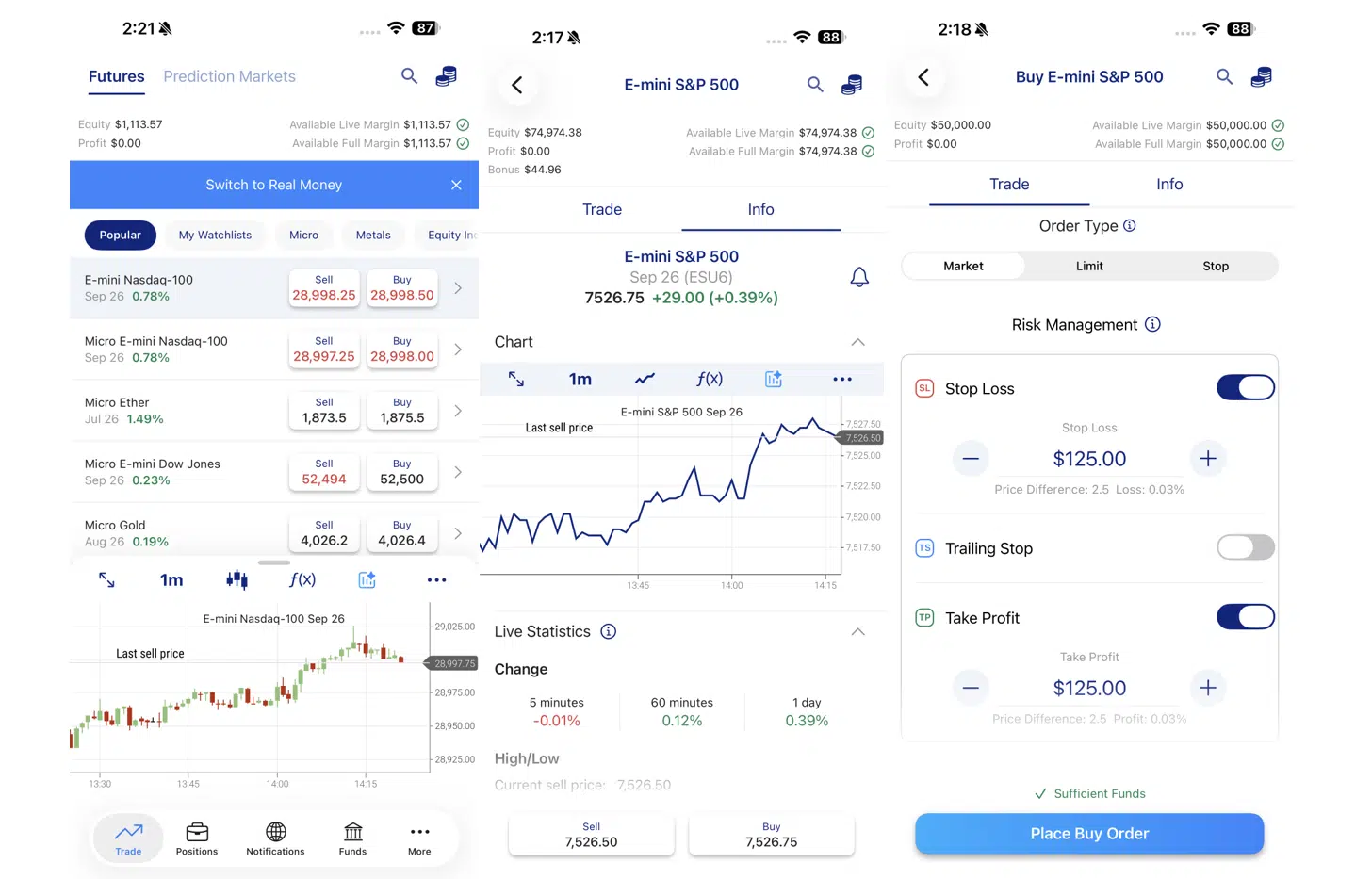
The mobile app (iOS and Android) mirrors the web platform completely: the same watchlists, alerts, charts, and one-ticket order flow with Market, Limit, and Stop orders plus attached Take Profit and Stop Loss. Margin requirements and contract specifications are shown inside each instrument’s details, so you always know your exposure before tapping Buy, exactly what you want when managing a leveraged position from a phone.
You can run the full $50,000 demo account from the app, with real prices and real commissions applied, and switch to real money from the same menu when ready. The minimum deposit is just $10, funded by debit card, Apple Pay, Google Pay, or wire, and there are no market data, platform, routing, or inactivity fees.
Pricing is flat and all-in: $0.49 per side on micros and $0.89 per side on standard and E-mini contracts, including exchange and NFA fees. The one fee to watch is a $10 auto-liquidation fee per contract if a position runs into expiration. Seven asset classes are covered (equity indices, energy, metals, agriculture, forex, interest rates, and crypto), plus Prediction Markets at $0.01 per contract for event-based trades – see our comparison of the best prediction markets platforms for US investors.
New users can also earn a first-deposit commission credit bonus, from $20 (on a $500 deposit) up to $200 (on a $10,000 deposit), subject to terms. Support runs 24/7 via in-app live chat.
Pros
-
Cleanest, most beginner-friendly futures app on the market
-
Mirrors the web platform: watchlists, alerts, charts and one-ticket orders
-
$10 minimum deposit and full demo/real parity inside the app
-
Transparent all-in commissions ($0.49 micro / $0.89 standard per side)
-
No market data, platform, routing, or inactivity fees
-
Free alerts and 24/7 in-app live chat
- CFTC-regulated and NFA member, part of an LSE-listed group (FTSE 250)
Cons
-
Available to US residents only
-
No custom indicators or algorithmic trading
-
$10 auto-liquidation fee per contract at expiration
- Futures funds are not protected by SIPC (standard for all futures accounts)
Want to learn more? Check our full Plus500 Futures review.
Interactive Brokers (IBKR)
Interactive Brokers at a glance

Futures fees: From $0.25 per contract; typically $0.85 per contract (below 1,000 contracts/month), plus exchange and regulatory fees.
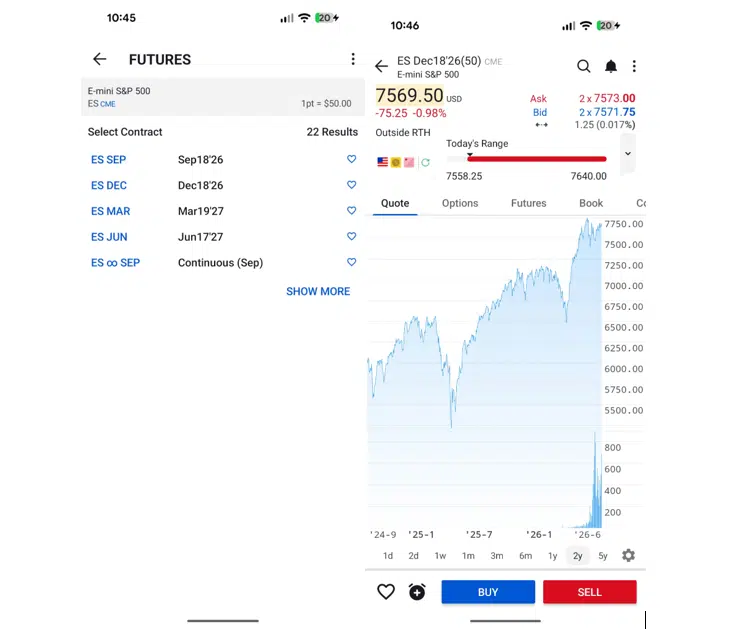
Founded in 1978 and listed on NASDAQ (ticker: IBKR), Interactive Brokers offers real futures contracts across more than 30 exchanges worldwide, and IBKR Mobile is arguably the most powerful futures app available to retail traders: advanced charting, multiple order types, real-time risk metrics, and access to the full global futures range.
One important detail for app-first users: IBKR runs two mobile apps, and only one of them trades futures. IBKR Mobile is the full-featured app for active traders; IBKR GlobalTrader, the simplified app for stocks and ETFs, does not support futures, so futures traders should install IBKR Mobile from day one.
Fees start at $0.25 per contract, with most users paying $0.85 per contract (below 1,000 contracts per month) plus exchange and regulatory fees, and idle cash earns interest – see how IBKR ranks among the best brokers for cash interest. The trade-offs on mobile are the same as on desktop: futures permissions must be requested and approved, and the density of features means a steeper learning curve than app-first competitors.
Pros
-
The most capable futures app for advanced traders (charting, order types, risk metrics)
-
Futures on 30+ global exchanges from one account
-
Very low commissions with volume discounts
-
Interest paid on uninvested cash
- Top-tier regulation and NASDAQ-listed parent
Cons
-
Futures permissions must be requested before trading
-
IBKR GlobalTrader (the simpler app) does not support futures
- Learning curve is real, even on mobile
Want to learn more? Check our full Interactive Brokers review.
Optimus Futures
Optimus Futures at a glance

Futures trading contains substantial risk of loss and is not for every investor.
Futures fees: $0.25 per side on micros, $0.75 per side on standard contracts, plus exchange and regulatory fees.
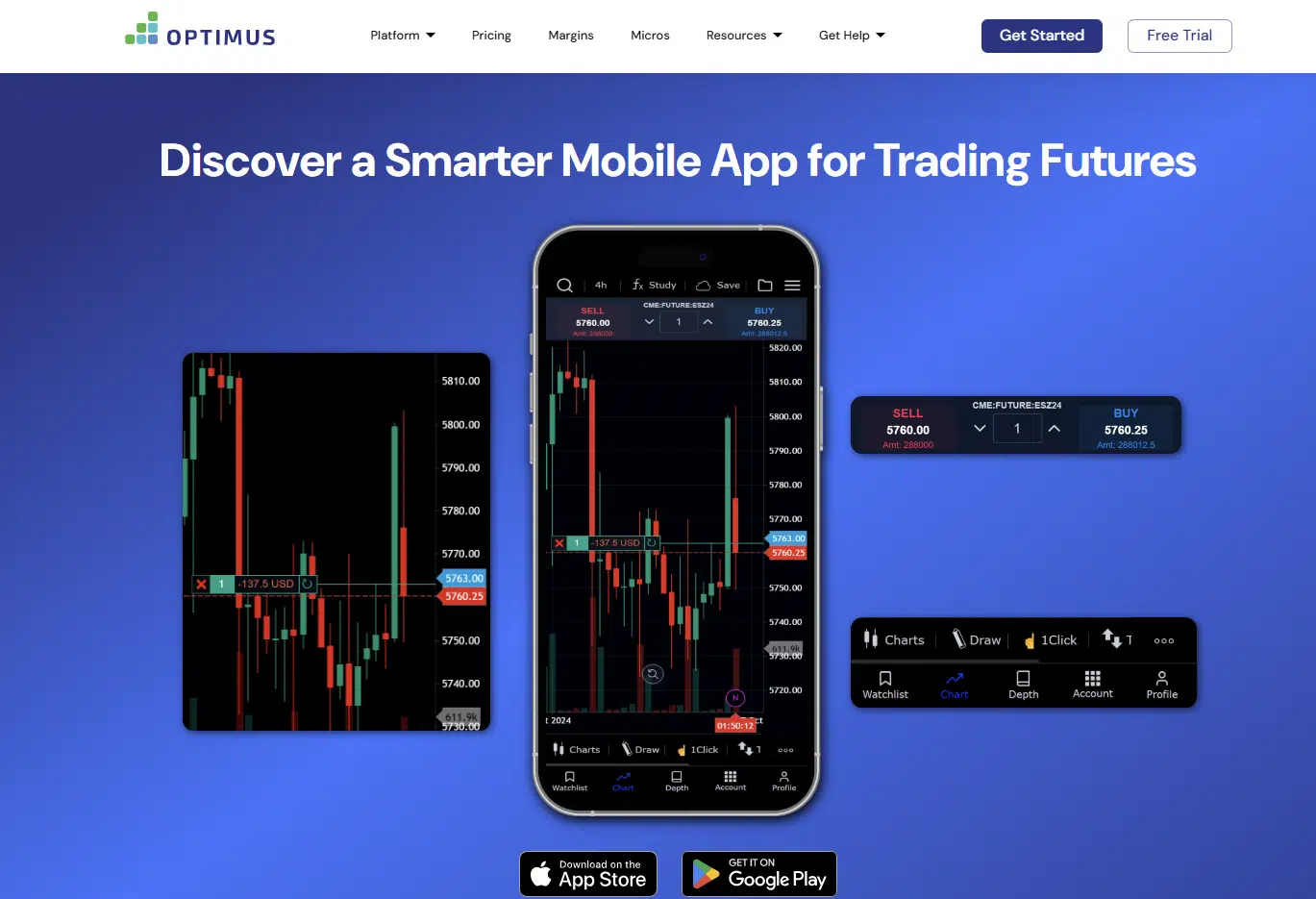
Optimus Futures is a US-only futures specialist known for deep-discount commissions and hands-on customer service, with transparent pricing of $0.25 per side on micros and $0.75 per side on standard contracts, plus exchange and regulatory fees. On mobile, clients can trade through Optimus Flow or through supported third-party apps such as TradingView, an unusual degree of flexibility that lets you pick the mobile experience that fits your style rather than being locked into one.
The free Optimus Flow platform carries no monthly platform fee and bundles extras that usually cost money elsewhere: a free trading journal, a free real-time news subscription with alerts (Optimus News), and streaming real-time data for quotes and charts, so your mobile setup stays genuinely low-cost end to end. Opening an account requires $500 for micro futures or $2,000 for E-minis and standard contracts, and low day-trading margins keep micro positions workable from modest balances.
Two more things matter for traders managing positions on the go: 24-hour trade desk access, meaning a human can flatten a position for you if your phone dies or your connection drops mid-trade, and Optimus’s well-earned reputation for personal support and futures education (their YouTube channel and podcast are staples among US futures traders). The trade-off is a less streamlined, app-first experience than integrated competitors.
Pros
-
Transparent deep-discount pricing: $0.25 per side on micros, $0.75 on standard contracts
-
Mobile flexibility: Optimus Flow plus third-party apps like TradingView
-
Free trading journal, real-time news and streaming data included, no platform fee
-
Low day-trading margins, ideal for micros
- 24-hour trade desk access and excellent human support
Cons
-
Available to US residents only
-
Higher minimum deposit than Plus500 Futures ($500 for micros, $2,000 for standard contracts)
-
Less streamlined, app-first experience than integrated competitors
- Futures only, no stocks or ETFs
Saxo
Saxo at a glance

62% of retail CFD accounts lose money.
Futures fees: From $1 (VIP) to $3 (Classic) per contract, charged per trade (buy, sell or at expiry), excluding exchange fees.
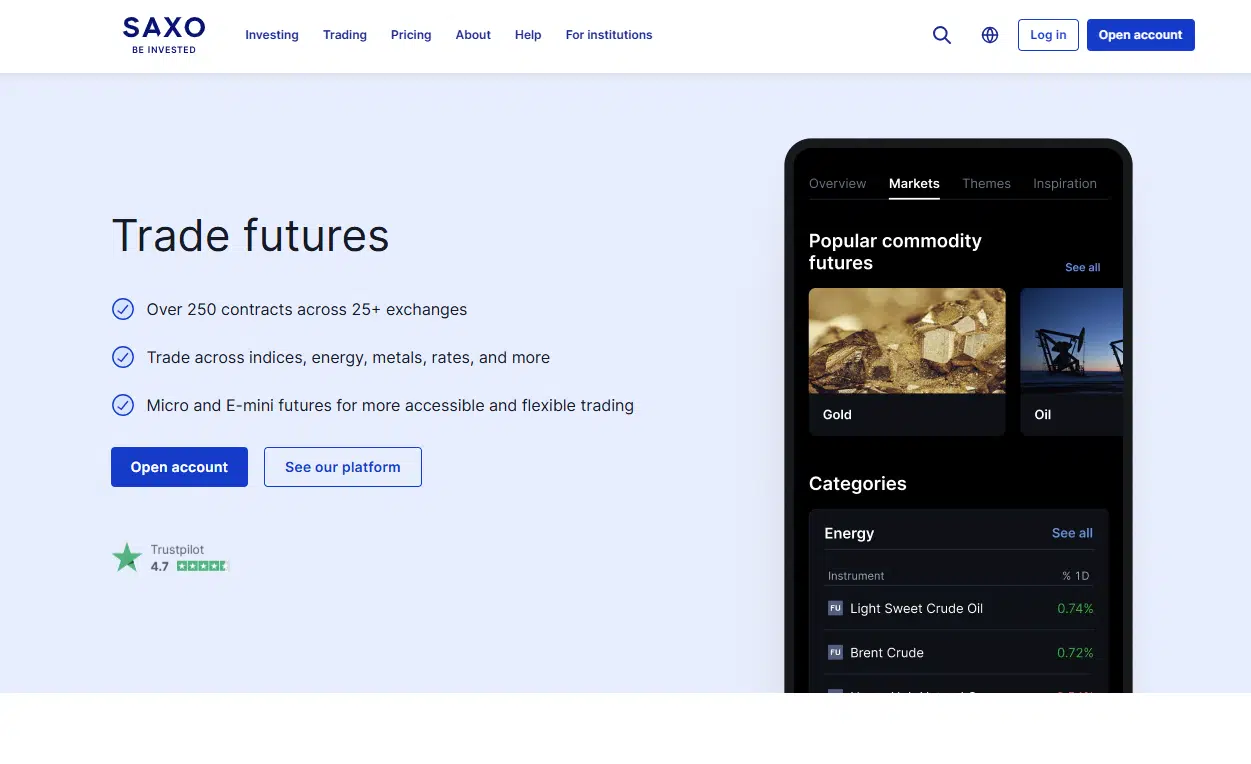
Founded in 1992 and owned by Swiss private banking group J. Safra Sarasin, Saxo offers 250+ futures across global exchanges, and the SaxoTraderGO app delivers them in a polished package: strong mobile charting, integrated SaxoStrats research, price alerts, and a clean order ticket with attached stop and limit orders.
Futures pricing runs from $3 per contract on the Classic tier down to $1 on VIP, charged per contract per trade and excluding exchange fees, and Saxo applies a carrying cost on positions held overnight (calculated on the daily margin requirement, at a 3.5% rate on Classic accounts), which nudges the platform toward intraday and short-hold trading.
The bank-grade trust profile, S&P A- rating, three decades of history, gives comfort that few retail apps can match.
Pros
-
One of the most polished multi-asset mobile apps available
-
250+ futures across global exchanges
-
Bank-grade trust profile (S&P A- rated, owned by J. Safra Sarasin)
- Integrated research and price alerts
Cons
-
Not available to US residents
-
Commissions higher than US discount futures brokers ($3 per contract on Classic)
-
Carrying cost charged on futures positions held overnight
- Multi-asset interface adds overhead for futures-only traders
Want to learn more? Check our full Saxo review.
TradeStation
TradeStation at a glance

Futures fees: Tiered: standard contracts from $1.75 down to $0.50 per side; micros from $0.50 down to $0.25 per side, plus exchange and regulatory fees.
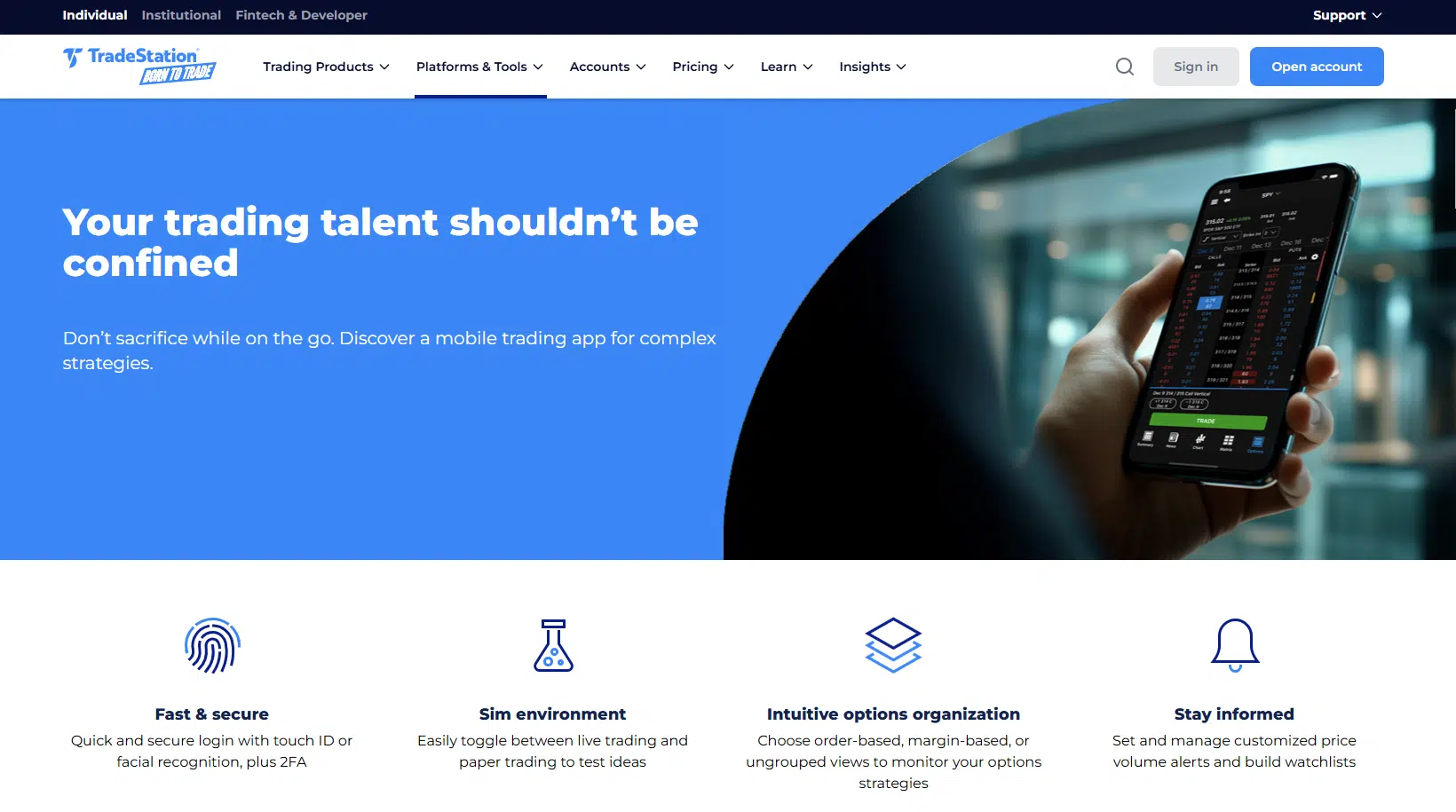
TradeStation pairs professional-grade technology with a capable mobile app that supports the full futures offering: direct access to CME Group exchanges (CME, CBOT, NYMEX, and COMEX) with real-time charting, multiple order types, and position management on the go.
The tiered commission model rewards volume (standard contracts from $1.75 down to $0.50 per side; micros from $0.50 down to $0.25, plus pass-through fees), there are no platform fees, and reduced intraday margins (E-mini S&P 500 from as little as $50 per contract, conditions permitting) suit mobile day traders managing smaller accounts. The app is best understood as a companion to the desktop analytics suite: powerful, but denser than app-first rivals.
Pros
-
Full futures support on a professional-grade mobile app
-
Tiered commissions that reward volume
-
Reduced intraday margins for day traders
- No platform fees or minimum balance
Cons
-
Entry-tier pricing higher than Plus500 Futures or Optimus
-
Denser interface than app-first competitors
- No deposit or trading bonuses
tastytrade
tastytrade at a glance

Futures fees: Flat $1.00 per contract to open and $1.00 to close, plus exchange and regulatory fees.
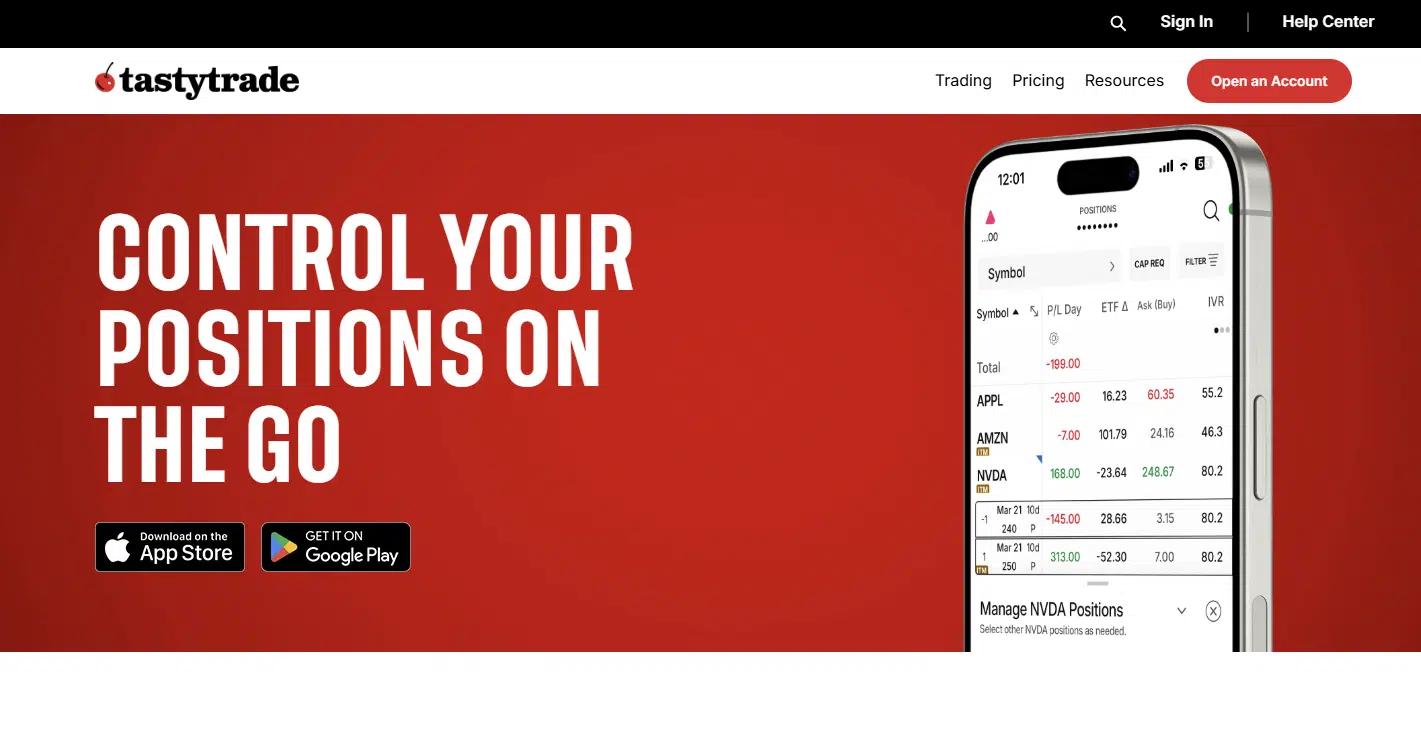
tastytrade was built by derivatives traders for derivatives traders, and its mobile app shows it: fast, uncluttered, and focused on getting orders filled rather than drowning you in features. Futures coverage spans CME Group exchanges including CME, CBOT, NYMEX, and COMEX, with micro futures and options on futures fully supported.
Pricing is flat and predictable: $1.00 per contract to open, $1.00 to close, plus pass-through fees, with no platform fees and no minimum balance. Intraday margins are competitive for active traders. The catch for mobile-first newcomers is the absence of a demo account, so micros are the sensible way to start, and charting on the app is deliberately lean compared with professional platforms.
Pros
-
Fast, execution-focused app with simple flat pricing
-
Micro futures and options on futures supported on mobile
-
Outstanding free education via tastylive
- No platform fees or minimum balance
Cons
-
No demo or simulated trading account
-
Lean charting and customisation versus professional platforms
- Flat pricing less competitive at very high volume
Criteria for the best futures trading apps
The selection of futures trading apps featured in this article is based on criteria that, in our view, address the needs of most retail futures traders who execute and manage positions from a phone. Our assessment focuses on apps that combine regulatory safety, reliable mobile execution, and transparent pricing.
Below are the key factors considered:
1. Regulation and safety
All US brokers selected are registered with the CFTC and are members of the NFA, with client funds held in segregated accounts under CFTC rules. We also weighed the financial strength and transparency of each parent company, since futures accounts are not covered by SIPC.
2. Mobile usability and execution
A futures app must make leveraged positions easy to open, monitor, and close under pressure: clear margin display, one-ticket orders with attached stops, fast fills, and stability during volatile sessions. Apps that stay responsive during high-impact events (FOMC, CPI, NFP) scored highest.
3. Costs and fees
For active mobile traders, costs compound quickly. We compared per-contract commissions (per side and round-turn), whether exchange and NFA fees are bundled or passed through, market data charges, and inactivity fees, prioritising transparent, all-in pricing.
4. Alerts and risk management on the go
Because futures trade nearly 24 hours, push alerts, price notifications, and attached stop-loss/take-profit orders are essential mobile features. We prioritised apps with free, reliable alerting and full risk-order support from the phone, and gave extra credit to brokers with a 24-hour trade desk as a backstop.
5. Range of markets and micro contracts
We favoured apps giving access to the main futures asset classes (equity indices, energy, metals, agriculture, rates, forex, and crypto) and, critically, micro contracts, which keep position sizes sensible for accounts managed from a mobile screen.
How your funds are protected
Futures accounts in the US work differently from stock brokerage accounts. Funds deposited with a Futures Commission Merchant (FCM) are not protected by the Securities Investor Protection Corporation (SIPC), even where the firm also holds an SEC registration.
Instead, protection comes from the CFTC’s customer funds segregation regime: FCMs must hold customer funds in segregated accounts, separate from the firm’s own capital, with daily reporting to regulators. Customer funds are pooled at the FCM level, so in an extreme failure scenario you could be exposed to losses incurred by other customers if the FCM’s capital proves insufficient, one more reason to favour well-capitalised, transparent brokers such as the ones in this list.
Which futures trading app should you choose?
For most US traders, Plus500 Futures is the best futures app to start with: demo and real accounts live in the same app, pricing is all-in and flat, the $10 minimum removes the entry barrier, and the interface was designed for a phone screen rather than squeezed onto one.
Interactive Brokers is the pick for experienced traders who want professional tools and 30+ exchanges in their pocket (just make sure you install IBKR Mobile, not GlobalTrader). Optimus Futures offers the lowest costs with mobile flexibility and a 24-hour trade desk as a safety net, TradeStation suits traders who pair the app with desktop analytics, and tastytrade keeps things simple with flat pricing.
Outside the US, Saxo’s SaxoTraderGO is the standout. And if your style is intraday, our guide to the best futures trading platforms for day trading digs deeper into execution and margins. For the full picture, see our guides to the best futures brokers for beginners and the best futures trading platforms.
Whichever app you choose, set up price alerts, use attached stop orders on every position, and never rely on a single device: know your broker’s phone trading desk number for the day your connection fails mid-trade.
FAQs
Can I trade futures entirely from my phone?
Yes. Every app on this list supports full order entry, position management, and account funding from mobile. Plus500 Futures and tastytrade are the most mobile-first; IBKR and TradeStation offer the deepest functionality but assume some desktop familiarity.
Does the pattern day trader (PDT) rule apply to futures?
No. The PDT rule, which requires $25,000 in equity to day trade stocks in a margin account, applies to securities, not futures – one reason many small-account day traders choose futures apps. Learn more in our guide on how to avoid the PDT rule.
Which futures app is best for beginners?
Plus500 Futures, thanks to the in-app $50,000 demo with real pricing, the $10 minimum deposit, and the Futures Trading Academy. Also check our dedicated guide to the best futures brokers for beginners.
Disclaimer: This content does not constitute investment advice. Futures are leveraged derivative instruments and involve a high risk of rapid capital loss. Funds deposited with futures commission merchants are not protected by SIPC. Before trading, make sure you fully understand how futures work and whether you can afford to lose your entire investment.