
Are you curious whether Capital.com supports MetaTrader 5 (MT5)? You are not alone, as many traders have the same question. Capital.com is known for its user-friendly platform and commission-free CFD trading. The good news is that the answer is now a clear yes.
In this article, we will explain how MT5 works on Capital.com, walk through how to get set up, and break down the key differences between MetaTrader 4 (MT4) and MetaTrader 5 (MT5) to help you decide which platform best suits your trading style.
Let’s dive in!
Does Capital.com support MetaTrader 5 (MT5)?
Yes, Capital.com supports MetaTrader 5 (MT5), alongside MetaTrader 4 (MT4), TradingView, and its own web and mobile platforms.
On MT5, Capital.com lets you run Expert Advisors (EAs), the automated trading programs written in MQL5, and backtest strategies with the platform’s Strategy Tester. You trade CFDs on shares, indices, forex and commodities. MT5 itself is free to use, and your trading costs are the spreads on your Capital.com account. Capital.com notes that it is not responsible for the performance of any EA you use.
How to set up MT5 on Capital.com:
- Create and verify your Capital.com account.
- Create an MT5 account from the Capital.com platform, following the instructions provided.
- Download MT5 and log in with the MT5 credentials Capital.com gives you.
You can find more details on Capital.com’s official MT5 page.
Between 74-89% of retail investor accounts lose money when trading CFDs with Capital.com. You should consider whether you understand how CFDs work and whether you can afford to take the high risk of losing your money.
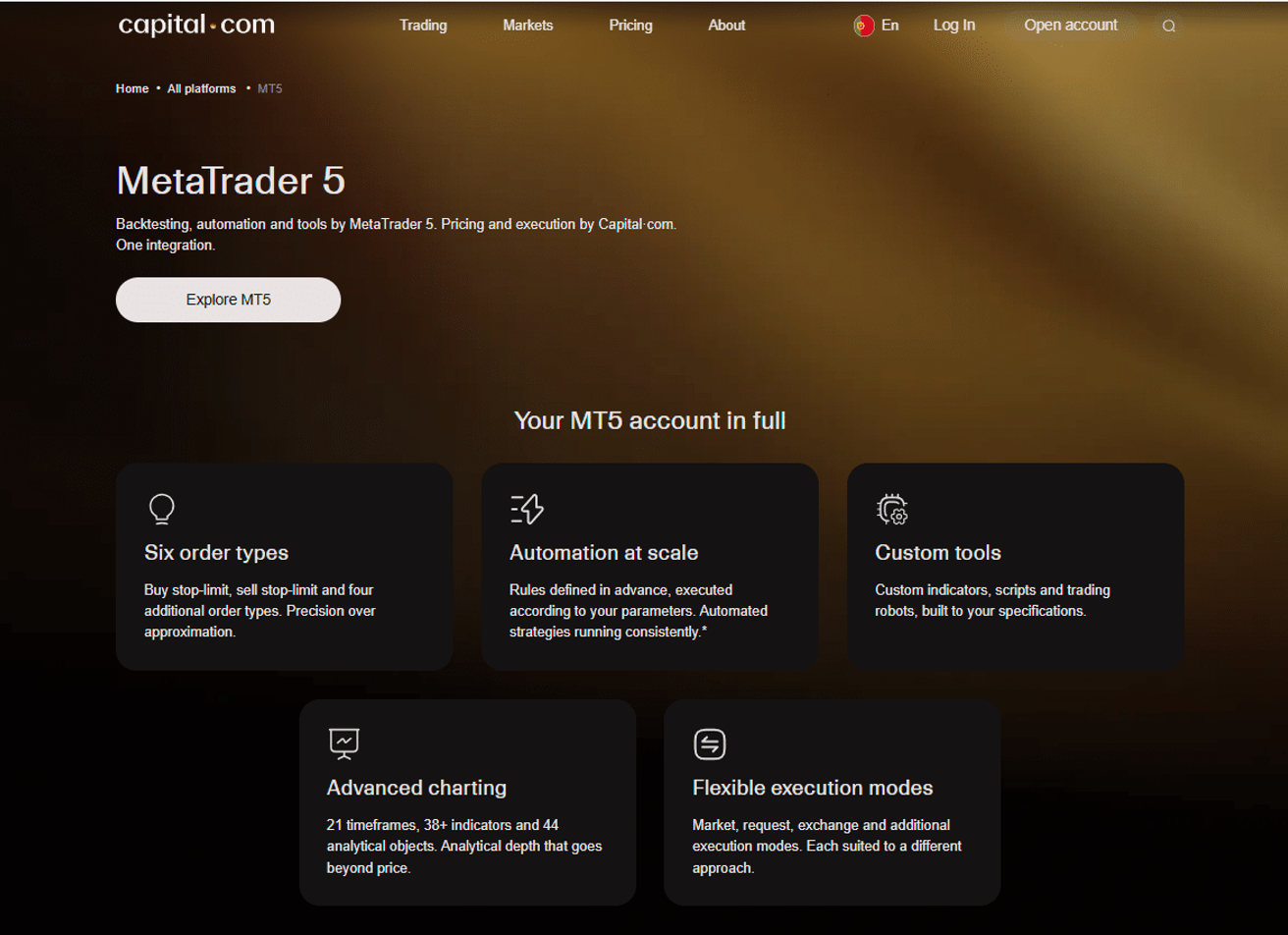
Capital.com website - MT5
Prefer the platform you already know? You can also connect your Capital.com account to MetaTrader 4 (MT4). Capital.com supports both MetaTrader platforms, so you can pick MT5 for its broader asset range and more advanced tools, or stick with MT4 if that is the environment you are most comfortable in. For details on getting started with MT4, visit Capital.com’s official MT4 page.
Best alternatives to Capital.com that support MT5

74-89% of retail CFD accounts lose money.

74-89% of retail CFD accounts lose money.

75.04% of retail CFD accounts lose money.

74-89% of retail CFD accounts lose money.

What is MetaTrader 5?
MT5 offers advanced trading tools such as customisable charts, multiple order types, and in-depth market analysis, making it suitable for both manual and automated trading strategies.
MT5 also includes real-time market news, an economic calendar, and built-in algorithmic trading support through its programming language, MQL5, allowing users to automate their strategies and make more informed trading decisions.
MT5 Pros and Cons
Pros
- Economic calendar
- 38 built-in technical indicators and 44 analytical objects
- 21 different timeframes
- Can display up to 100 charts at the same time
- Built on MQL5, so you can add your own trading algorithms
Cons
- Some features may appear too advanced for beginners
- The MT5 platform is more complex than the MT4 platform
- Programs developed for MT4 do not run on MT5
MT4 vs MT5: what are the key differences?
Comparing the two platforms, here are the main differences between MT4 and MT5:
| Feature | MT4 | MT5 |
| Launch year | 2005 | 2010 |
| Market types | Primarily forex | Multi-asset (forex, stocks, futures) |
| User experience | Simple and user-friendly | Similar to MT4 but more customisable |
| System efficiency and speed | 32-bit | 64-bit (faster) |
| Trade execution methods | Hedging | Hedging and netting |
| Order execution | Limited types (market and pending orders) | More advanced types |
| Expert Advisors (EAs) | Yes, with extensive EA libraries (MQL4) | Yes, with full EA support (MQL5) |
| Technical analysis tools | Comprehensive but limited to the basics | Extended set of tools for advanced users |
| Available timeframes | 9 | 21 |
| Mobile trading | Available | Available with more features |
| Technical indicators | 30 | 38 |
| Economic calendar | No | Yes |
MT4 vs MT5. Source: MetaQuotes.
Bottom line
In conclusion, Capital.com supports MetaTrader 5 (MT5), alongside MT4, TradingView and its own web and mobile platforms. So whether you prefer MT5, MT4, or Capital.com’s own platform, you are covered.
If you would like to compare other brokers that offer MT5, options like Pepperstone, Fusion Markets, and FP Markets are also worth a look. Choose the platform that best fits your trading strategy.
If you have questions, feel free to reach out to us.
FAQs
Can I use Expert Advisors on Capital.com MT5?
Yes. You can run Expert Advisors and other automated tools on your Capital.com MT5 account. Capital.com is not responsible for the performance of any EA you use.
Is MT5 free on Capital.com?
Yes. The MT5 platform is free to use. Your trading costs come from the spreads and any overnight funding on your Capital.com account.
Does Interactive Brokers support MT5?
Yes, Interactive Brokers supports MetaTrader 5 (MT5). You can explore more information here.
Does eToro support MT5?
No, eToro doesn’t support MetaTrader 5 (MT5). For more details, explore more information here.
Does XTB support MT5?
No, XTB doesn’t support MetaTrader 5 (MT5). You can explore more information here.
Does IG support MT5?
No, IG doesn’t support MetaTrader 5 (MT5). You can find out more here.