
Yes, eToro has a demo account. It is called the Virtual Portfolio, it is free and every eToro account comes with $100,000 in virtual funds to practise with.
You do not need to deposit money to use it. You open a free eToro account, switch to the Virtual Portfolio in the menu under your username and trade with live market prices.
The details below come from eToro's demo account page and its help centre, checked in November 2026.
eToro demo account at a glance
| Feature | Detail |
| Name | Virtual Portfolio |
| Virtual balance | $100,000 |
| Cost | Free |
| Deposit needed | No |
| Prices | Live markets |
| CopyTrader | Available |
| Top-up | Up to $100,000 (via Customer Service) |
Sources: eToro demo account page and eToro help centre, November 2026.
How to open an eToro demo account
eToro creates the Virtual Portfolio automatically next to your real account, so there is no separate registration. The steps are:
- Create or open your account: log in to eToro or open a free account.
- Open the menu: go to the menu under your username.
- Switch portfolio: choose Virtual Portfolio. The $100,000 in virtual funds appears in your balance.
- Place a practice trade: search for an asset and open a position as you would in the real account.
To go back, open the same menu and choose Real Portfolio. You can switch between the two as often as you like.
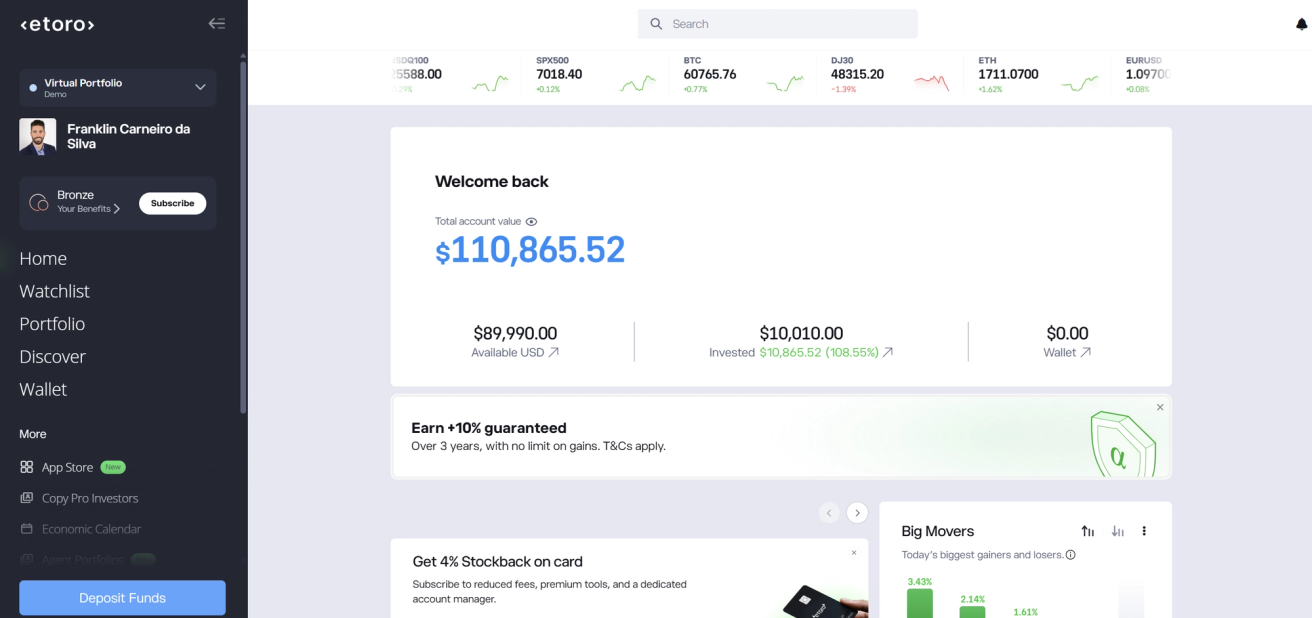
The Virtual Portfolio selected in the menu under the username. Screenshot from our own eToro account, 22 November 2026.
If you later move to a real account, new clients in Europe can get a free asset worth up to $500 after signing up and making a qualifying deposit (terms apply). Our eToro bonus guide explains the conditions, and you can register with eToro here.
What can you do with the eToro demo account?
eToro describes the virtual account as a copy of the real one, with the same features and live market conditions. The trades are simulated and do not affect your real balance.
- Trade the main asset classes: stocks, crypto, commodities, currencies, indices and ETFs.
- Test CopyTrader: copy other investors with virtual money before you do it with real funds.
- Use order tools: Stop Loss and Take Profit work in the Virtual Portfolio.
- Try leverage and CFDs: both are available in the demo. CFDs (contracts for difference) are leveraged products and carry a high risk of losing money in a real account.
In our own test, a $10,000 virtual Bitcoin order showed estimated opening costs of $100, so the demo also simulates trading costs. The order ticket has the same Stop Loss, Take Profit and Leverage fields as a real order.
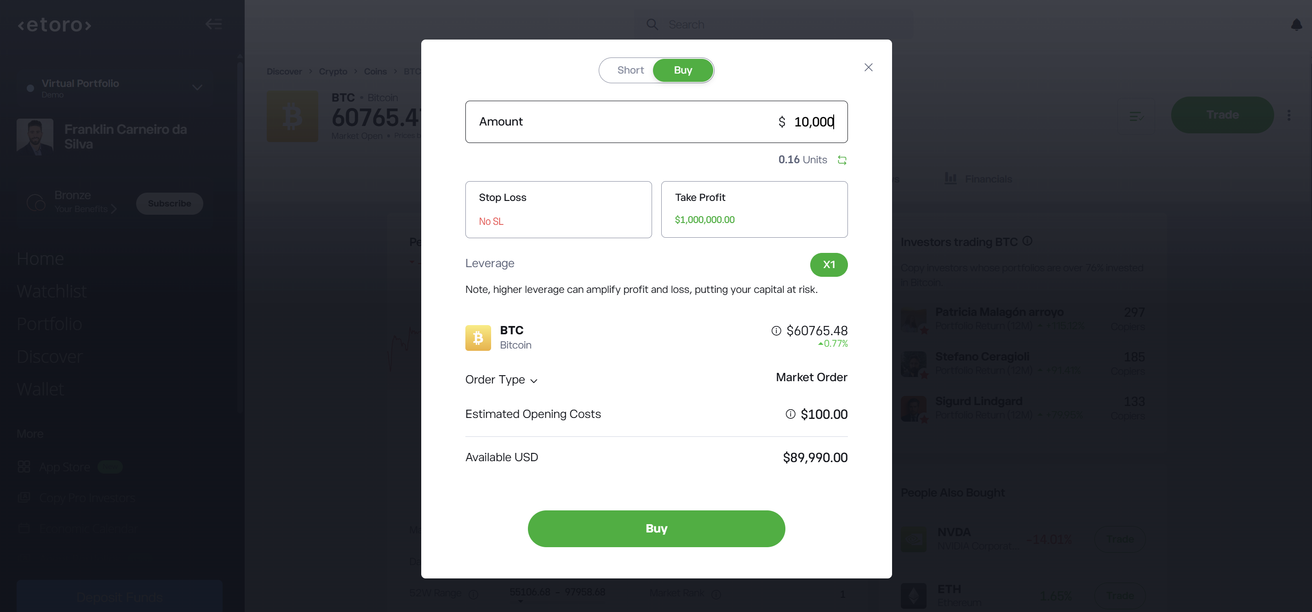
Order ticket in the Virtual Portfolio. Screenshot from our own eToro account, 22 November 2026.
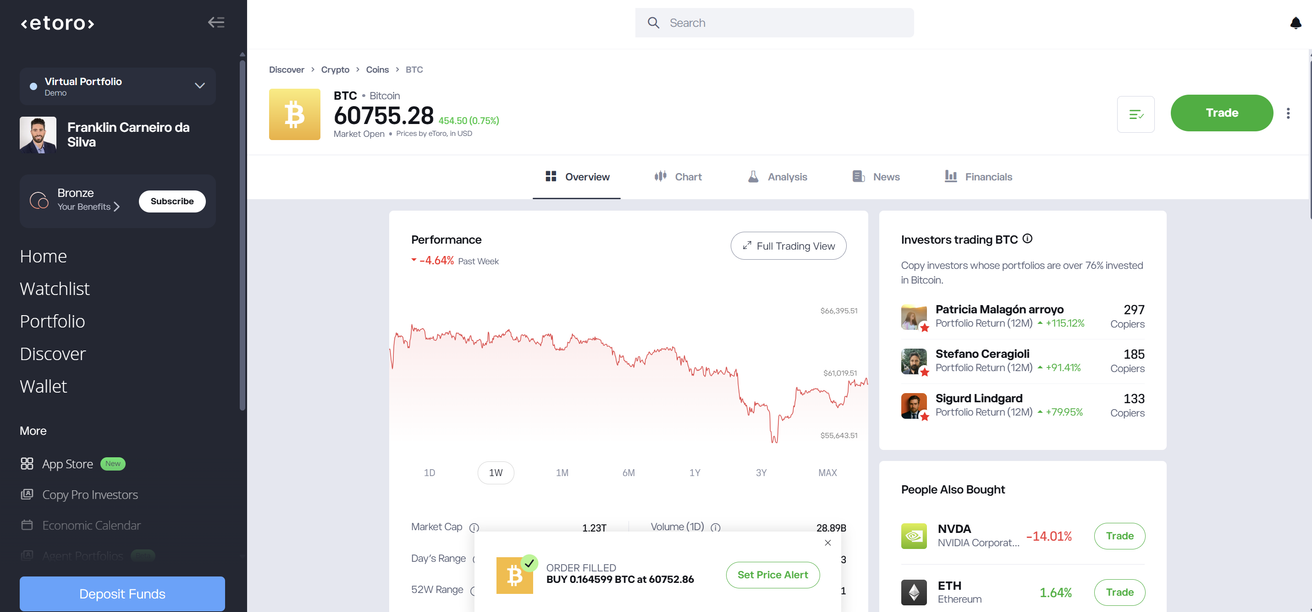
Virtual order filled at the live market price. Screenshot from our own eToro account, 22 November 2026.
Open positions appear under Portfolio, with the profit or loss updated at live prices.
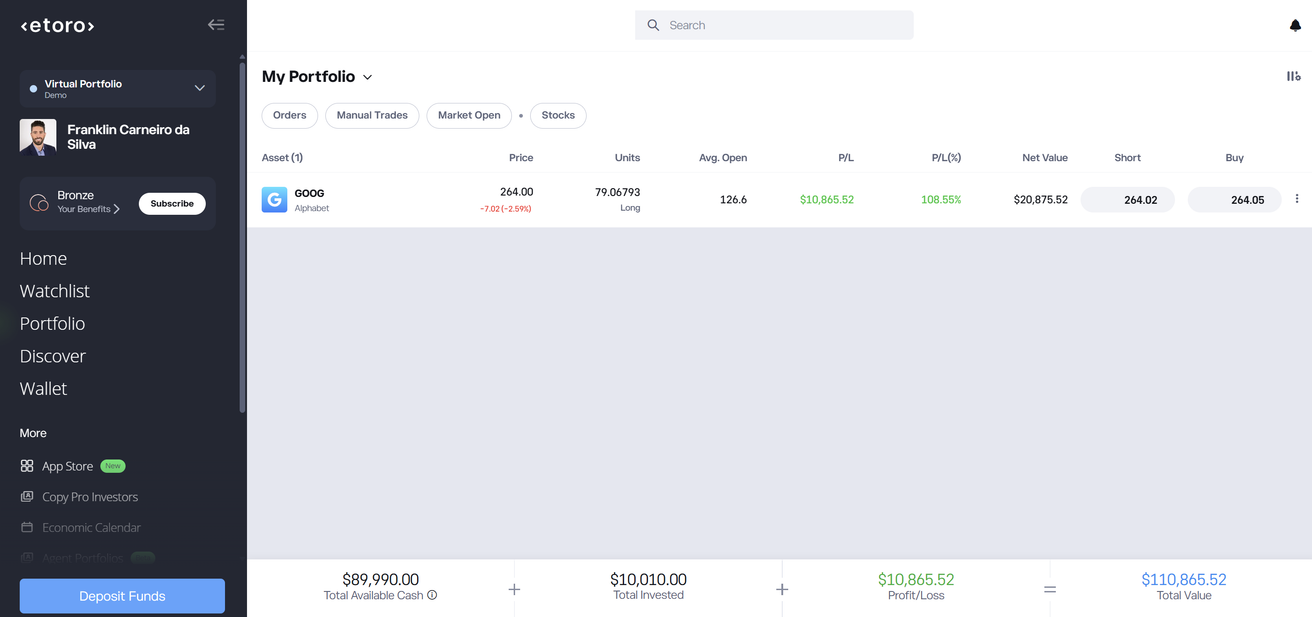
Portfolio page of the demo account. Screenshot from our own eToro account, 22 November 2026.
How to add or reset virtual funds
You cannot top up the virtual balance yourself. You open a ticket with eToro's Customer Service and say how much you want added.
- Maximum top-up: eToro adds up to $100,000 to the virtual balance.
- Reducing the balance: eToro can also remove virtual funds, down to a minimum of $2,000. This is useful if you want to practise with an amount closer to what you plan to invest.
- Automatic refill: if the value of your virtual portfolio drops below $1, the available cash refills to $2,000. This cannot be switched off.
- No full reset: eToro cannot erase the trading history and stats of a virtual account.
eToro's help centre notes that this request is not available in the new eToro app, so use the web version.
eToro demo account vs real account
| Demo | Real | |
| Money | Virtual | Your deposit |
| Prices | Live markets | Live markets |
| Profits and losses | Simulated | Real |
| Withdrawals | Not possible | Possible |
| Deposit needed | No | Yes |
Source: eToro demo account page, November 2026.
A demo account shows you how the platform and its tools work. It does not show how you react when real money is at stake, and results with virtual funds say nothing about future results in a real account.
eToro is a multi-asset investment platform. The value of your investments may go up or down. Your capital is at risk.
Disclaimer: When investing, your capital is at risk and you may get back less than invested. This article is for information only and is not tax or investment advice.
FAQs
Is the eToro demo account free?
Yes. The Virtual Portfolio is free, needs no deposit and comes with every eToro account.
How much virtual money do you get on eToro?
Every eToro account is credited with $100,000 in virtual funds for the Virtual Portfolio.
How do I switch to the eToro virtual account?
Log in, open the menu under your username and choose Virtual Portfolio. Choose Real Portfolio in the same menu to go back.
Can I reset my eToro virtual portfolio?
Not fully. eToro's Customer Service can add virtual funds up to $100,000 or reduce the balance to a minimum of $2,000, but it cannot erase the trading history and stats.
Can I copy traders with the eToro demo account?
Yes. CopyTrader works in the Virtual Portfolio, so you can copy other investors with virtual money first.